
Interactive Rebase and Squash
Last updated on 2026-07-15 | Edit this page
Overview
Questions
- Why would I rebase a branch?
- When would I squash commits during a rebase?
Objectives
- Understand the reasons for interactive rebases.
- Remove amending commits from the history.
The process of getting a pull request or merge request accepted and merged into the upstream repository can require several updates to the original proposed changes. These changes may be functional fixes or just changes due to coding policies required for the project. This often results in multiple changes concerning the same piece of the code or document to be both spatially and temporally apart from each other in the Git history. For some projects a cluttered history is not acceptable and you may need to clean up the history.
Git provides a command to modify the history of a branch called an interactive rebase.
We’ve set up a branch that contains multiple commits modifying the same file to demonstrate how to use an interactive rebase to clean up the history.
Let’s first look at the history of our branch
OUTPUT
7c77bba (HEAD -> pie-recipes, origin/pie-recipes) Complete pecan pie recipe instructions
f203cce Additional instructions to pecan pie recipe
c65036e Fix typo in ingredients
8613dde Add recipe for Pecan Pie with ingredients
3f40052 Add Apple Pie recipe
9761864 Initial commit with recipe files
For cleaning up the history we focus on the first 4 commit of the branch.
Git will open an editor with a list of the requested commits in the format
OUTPUT
pick 5df0b61 Add recipe for Pecan Pie with ingredients
pick f34d3e0 Fix typo in ingredients
pick 80e1e0b Additional instructions to pecan pie recipe
pick 376a80c Complete pecan pie recipe instructions

# Rebase deeb7a6..376a80c onto deeb7a6 (4 commands)
#
# Commands:
# p, pick <commit> = use commit
# r, reword <commit> = use commit, but edit the commit message
# e, edit <commit> = use commit, but stop for amending
# s, squash <commit> = use commit, but meld into previous commit
# f, fixup [-C | -c] <commit> = like "squash" but keep only the previous
#                    commit's log message, unless -C is used, in which case
#                    keep only this commit's message; -c is same as -C but
#                    opens the editor
# x, exec <command> = run command (the rest of the line) using shell
# b, break = stop here (continue rebase later with 'git rebase --continue')
# d, drop <commit> = remove commit
# l, label <label> = label current HEAD with a name
# t, reset <label> = reset HEAD to a label
# m, merge [-C <commit> | -c <commit>] <label> [# <oneline>]
# .       create a merge commit using the original merge commit's
# .       message (or the oneline, if no original merge commit was
# .       specified); use -c <commit> to reword the commit message
#
# These lines can be re-ordered; they are executed from top to bottom.
#
# If you remove a line here THAT COMMIT WILL BE LOST.
#
# However, if you remove everything, the rebase will be aborted.
#
Git provides different options for <cmd> to modify
the specific commit. Below you find a selection of commands that are
most often used in basic interactive rebasing.
- pick: Use this commit
- reword: Use this commit, but adapt the commit message
- edit: Use commit, but pause to shell before committing
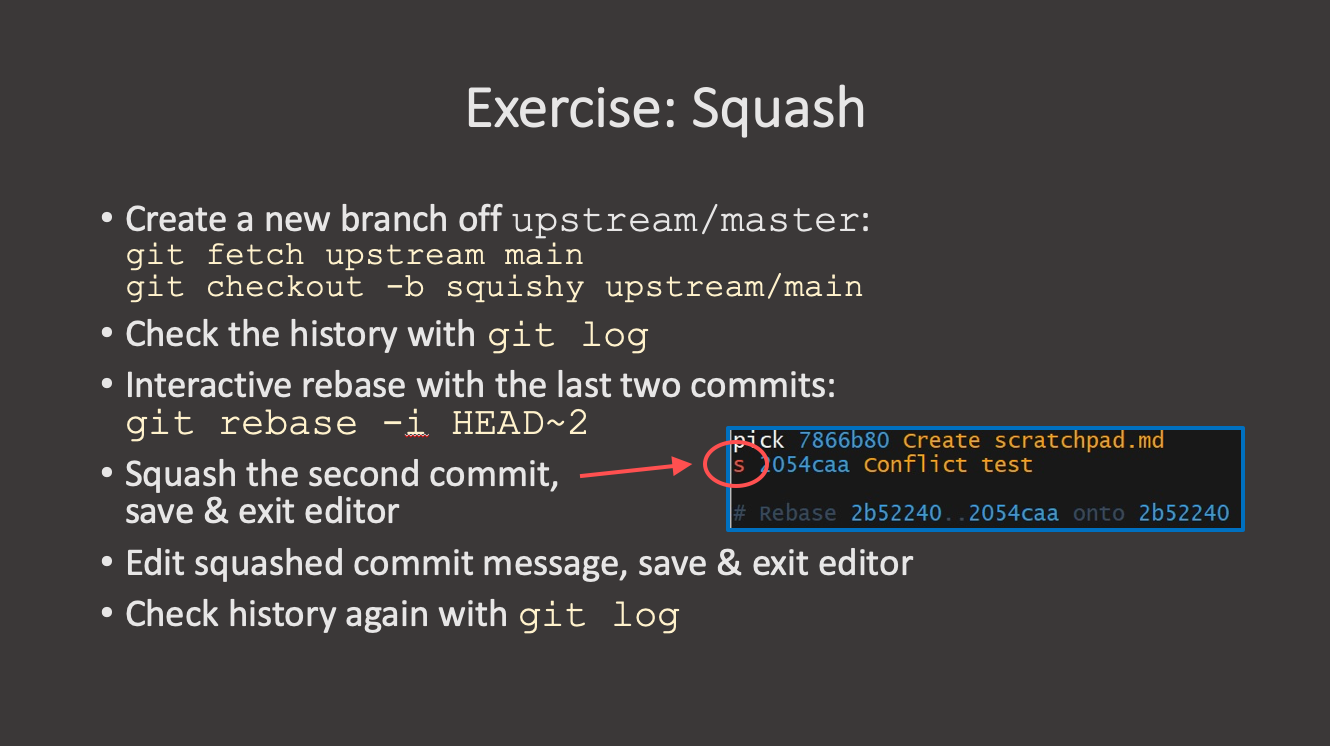
- squash: Use commit, but as part of the previous commit combining commit messages
- fixup: Like squash, but keep only a single commit message
- drop: Remove commit
Initially all commits are listed with pick, as this would recreate the same state as before the interactive rebase was started. You are now free to change the order of those commits as long as dependencies are retained.
In our example before, we could reorder and squash to keep two commits regarding Pecan Pie.
OUTPUT
pick 8613dde Add recipe for Pecan Pie with ingredients
fixup c65036e Fix typo in ingredients
pick f203cce Additional instructions to pecan pie recipe
pick 7c77bba Complete pecan pie recipe instructions
Now save this list and let Git apply the desired changes. After the rebase is complete, you can look at the rewritten history.
OUTPUT
a03a64c (HEAD -> pie-recipes) Complete pecan pie recipe instructions
6c4a44a Additional instructions to pecan pie recipe
cf155bb Add recipe for Pecan Pie with ingredients
deeb7a6 Add Apple Pie recipe
e4b2098 Initial commit with recipe files
As we have changed the history, the branch at origin has diverged from the local branch. This will be noted in the current status of repository.
git statusOUTPUT
On branch pie-recipes
Your branch and 'origin/pie-recipes' have diverged,
and have 3 and 4 different commits each, respectively.
  (use "git pull" to merge the remote branch into yours)

nothing to commit, working tree clean
As this is the last step before final check and merge, it should be safe to force-push the changes to origin.
OUTPUT
Enumerating objects: 15, done.
Counting objects: 100% (15/15), done.
Delta compression using up to 2 threads
Compressing objects: 100% (12/12), done.
Writing objects: 100% (12/12), 1.29 KiB | 1.29 MiB/s, done.
Total 12 (delta 5), reused 0 (delta 0), pack-reused 0
remote:
remote: To create a merge request for pie-recipes, visit:
remote:   https://gitlab.git.nrw/hartman/git-workshop-practice/-/merge_requests/new?merge_request%5Bsource_branch%5D=pie-recipes
remote:
To https://gitlab.git.nrw/hartman/git-workshop-practice.git
+ 7c77bba...062addc pie-recipes -> pie-recipes (forced update)Exercise 1: Cleaning up history in a feature branch
Clean up the history of your feature branch before the pull request/merge request is merged.
Follow the same steps we did earlier in the lesson:
- Check your branch history:
OUTPUT
 7c77bba (HEAD -> pie-recipes) Complete pecan pie recipe instructions
 f203cce Additional instructions to pecan pie recipe
 c65036e Fix typo in ingredients
 8613dde Add recipe for Pecan Pie with ingredients
 3f40052 Add Apple Pie recipe
9761864 Initial commit with recipe files- Start an interactive rebase for the last 4 commits:
- In the editor, squash the typo fix into the first commit:
BASH
  pick 8613dde Add recipe for Pecan Pie with ingredients
  fixup c65036e Fix typo in ingredients
  pick f203cce Additional instructions to pecan pie recipe
pick 7c77bba Complete pecan pie recipe instructions- Save and exit. Verify the new history:
OUTPUT
  a03a64c (HEAD -> pie-recipes) Complete pecan pie recipe instructions
  6c4a44a Additional instructions to pecan pie recipe
  cf155bb Add recipe for Pecan Pie with ingredients
  3f40052 Add Apple Pie recipe
9761864 Initial commit with recipe files- Force-push the cleaned branch:
Exercise 2: Squashing Commits and Amending
You are working on a pancake recipe and adding ingredients one by
one, each as a separate commit. You can track your history with
git log --oneline at each step.
- Create
pancake.mdand add the following ingredients as separate commits:- flour -> commit message:
Add flour - milk -> commit message:
Add milk - egg -> commit message:
Add eg(this typo is intentional) - Fix the typo in the commit message before moving on.
- flour -> commit message:
To correct only the commit message without touching the files, check
git commit --amend --help.
Exercise 2: Squashing Commits and Amending (continued)
- Squash all three commits into one.
To squash multiple commits, look into git rebase -i.
Exercise 2: Squashing Commits and Amending (continued)
- Oh, you forgot to butter. Add it to
pancake.mdand amend the existing commit without changing the commit message.
Step 1:
BASH
echo "flour" > pancake.md
git add pancake.md
git commit -m "Add flour"

echo "milk" >> pancake.md
git add pancake.md
git commit -m "Add milk"

echo "egg" >> pancake.md
git add pancake.md
git commit -m "Add eg"

git log --oneline
OUTPUT
<hash> (HEAD -> main) Add eg
<hash> Add milk
<hash> Add flourOUTPUT
<hash> (HEAD -> main) Add egg
<hash> Add milk
<hash> Add flour
Step 2:
In the editor, change pick to s for the
last two commits:
Save and exit. In the next editor, write a single commit message:
Add ingredients to pancake recipe
OUTPUT
<hash> (HEAD -> main) Add ingredients to pancake recipeStep 3:
OUTPUT
<hash> (HEAD -> main) Add ingredients to pancake recipe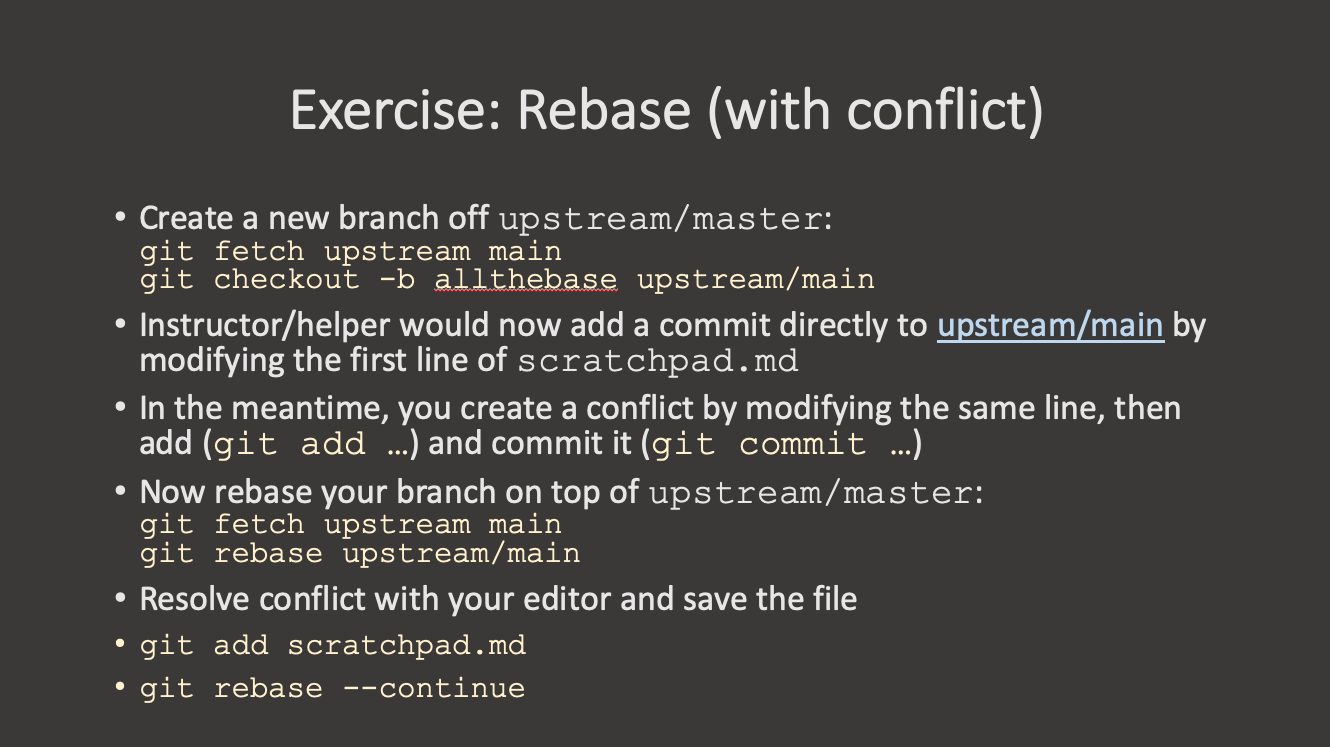
- Use an interactive rebase to clean up merge requests before the merge.
- Rebased branches need to be force-pushed due to history changes.
- Squashing can be used to combine multiple commits
- Depending on the project policy merge requests may need to be cleaned up before they are allowed upstream.
{% include links.md %}