
Undo, Move, cherry-pick
Last updated on 2026-07-15 | Edit this page
Overview
Questions
- How to incorporate specific changes in one branch into another?
Objectives
- Learn to pick and incorporate specific changes into a different branch.
What is a cherry-pick?
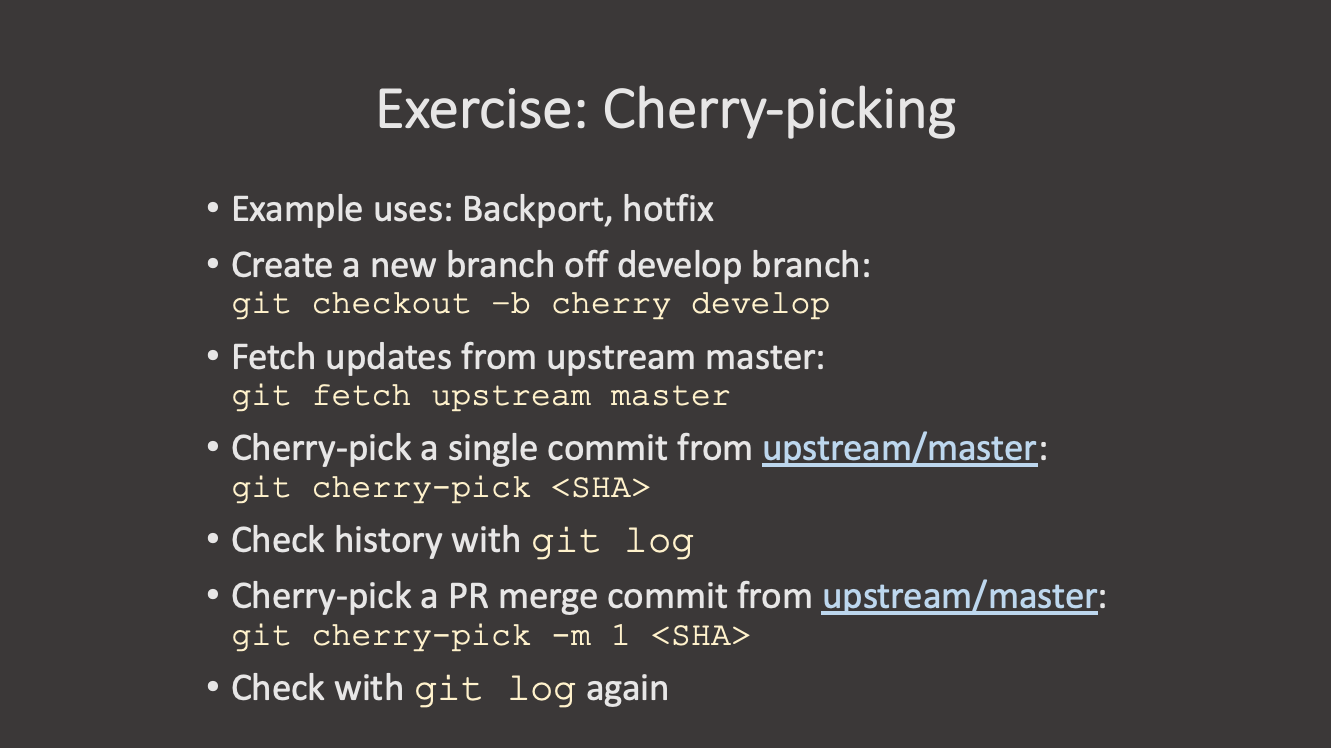
If there is a specific change present in a different branch that you need in another branch, Git lets you “cherry-pick” those commits. The “cherry-pick” command is a way of copying a specific commit from one branch to another. Each commit in git has a specific identifier (the “hash” or “SHA” of the commit) that we can use to refer to that exact commit. You can see the hash of your recent commits by running:
Note that this only shows the commits that are present on this “branch”. If you want to see commits from all branches, you can run:
or checkout the specific branch you want to see.
So why would I want to cherry-pick a commit?
- Imagine you have a branch where you are working on a new feature. You make several commits to this branch, but as you work you realize that one of the commits you just made would be important to include in the “main” branch right away.
- Or maybe you’re working on a branch and realize that the commit you just made would be better suited to a different branch.
- Or maybe you have a branch with several commits, but you realize that you want to split these out into one or more branches.
The more confined and specific commits are, the better they can be cherry-picked.
In these cases, you can use “cherry-pick” to move a specific commit from one branch to another.
How to cherry-pick
The cherry-pick command looks like this:
Note that we don’t have to provide any information about the source branch, because the commit hashes are unique across the entire repository. Git will find the commit with the specified hash, then apply it to the current branch.
Let’s modify our groceries.md file in our
bean-dip branch:
MARKDOWN
# Market A
* avocado: 1.35 per unit.
* lime: 0.64 per unit
* salt: 2 per kg
* black beans: 0.99 per canWait though! We actually want this change to happen in the
main branch instead. We can switch to the main
branch and cherry-pick the commit we just made in the
bean-dip branch:
Use git log --oneline in the bean-dip
branch to find the commit hash of the commit we just made:
OUTPUT
$ git log --oneline
4a473c9 (HEAD -> bean-dip) Add bean dip ingredients to groceries
b8732e4 Add bean dip recipe
79cb366 (origin/bean-dip) Add bean dip recipe.
(Your commit hash will be different.)
Now switch to the main branch and cherry-pick that
commit:
OUTPUT
$ git cherry-pick 4a473c9
[main 68fbfdc] Add bean dip ingredients to groceries
 Date: Thu Nov 27 23:11:28 2025 +0100
 1 file changed, 1 insertion(+), 1 deletion(-)
The command will then apply the changes only from the specified commit to the current branch, creating a new commit with those changes.
Undoing a cherry-pick
If you cherry-pick a commit and then realize that you made a mistake,
you can undo the cherry-pick using the git reset command we
showed earlier:
Issues with cherry-pick
cherry-picking is an infrequent operation, and it can lead to some issues if not used carefully. Some things to keep in mind:
- You are creating a new commit on the branch, which means that if the original commit is later merged into the branch, you may end up with a merge conflict.
- If the commit you are cherry-picking depends on other commits that are not present in the target branch, you may run into issues when trying to apply the changes or run the code.
- The new commit will look identical to the old commit, but with a different hash. This can make it difficult to visually track changes across branches.
Cherry-picking Exercise
Create a new branch called cookies and add a recipe for
chocolate chip cookies to a new file
cookies/chocolate-chip-cookies.md. Commit this file. Then
add one of the ingredients for your cookies to the
groceries.md file in the same branch. Finally, add the
instructions for the cookies in another commit.
How can you get just the change to groceries.md into the
main branch?
- Create and switch to the
cookiesbranch:
- Create the recipe file and add the recipe:
Make your changes to
chocolate-chip-cookies.mdandgroceries.md, committing each change.Use
git log --onelineto find the commit hash for the change togroceries.md.Switch to the
mainbranch and cherry-pick the commit:
Cherry Pick a Range of Commits
Switch to your cookies branch again. Now let’s create the following file:
Then in groceries.md, add the sugar to the end of the
file and commit this change.
In another commit, add flour and butter to groceries.md
and commit this change.
Finally, add the instructions for sugar cookies to the sugar cookie file and commit this change.
Checkout the main branch again. How can you cherry-pick
both of the commits that modified groceries.md into the
main branch?
What is different about cherry-picking a range of commits compared to a single commit?
Run git cherry-pick --help and look at some of the
examples.

- You can cherry-pick specific commits from one branch to another
using
git cherry-pick <commit-hash>.